Ghost CMS 6: Deploy a Full Open Source Blog in 1 Click
Deploy the full Ghost CMS 6 on Railway with one click. Get the full open source CMS, lower hosting costs than managed plans, no server setup, and optional Mailgun and Cloudinary support, with unpacked source code you can customize when needed.

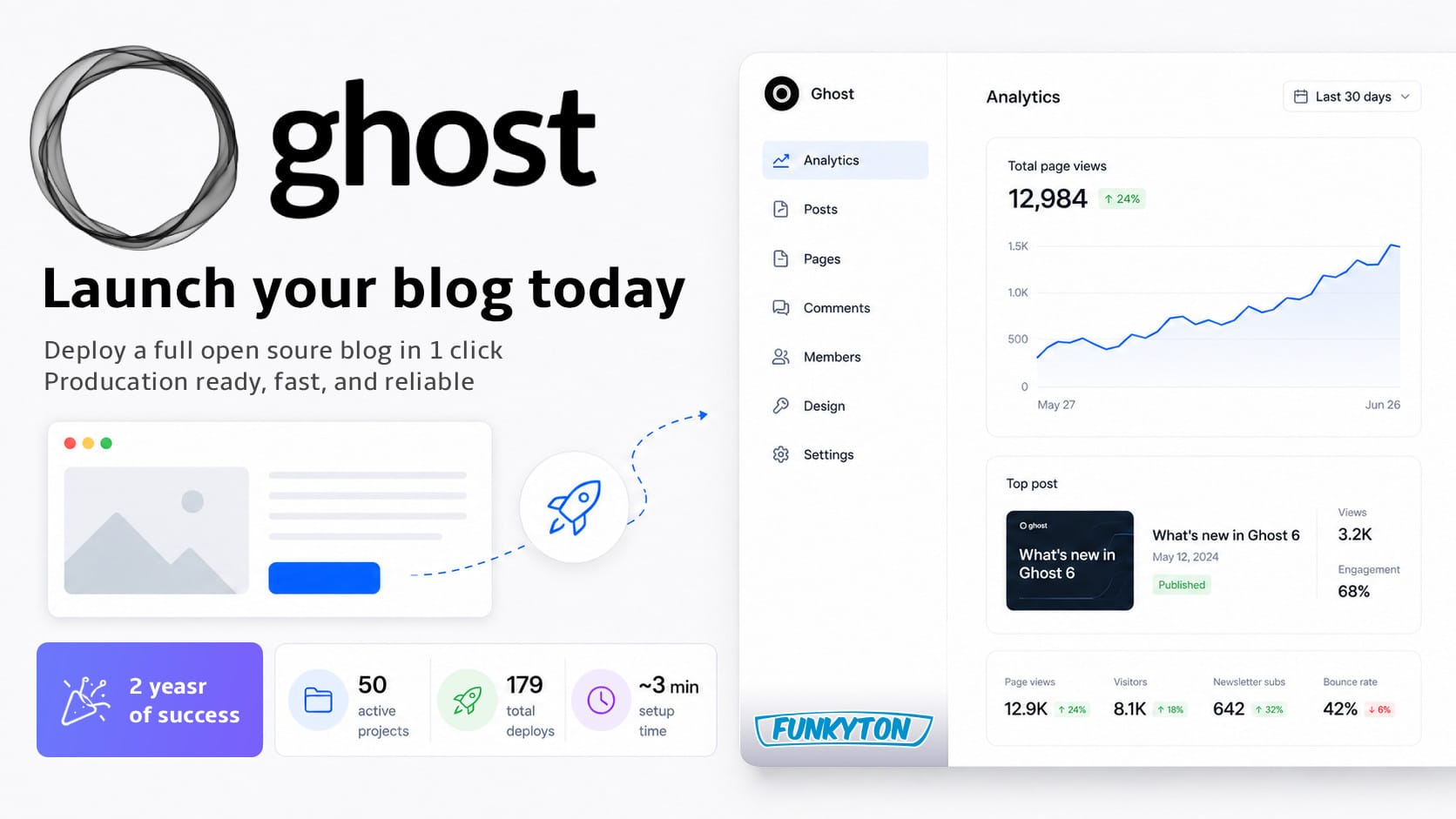
This article started as a quick Ghost 5 deployment guide back in 2024.
The idea was simple: make it easy to launch the full open source version of Ghost without needing to know Docker, Linux, database setup, or server administration.
Two years later, I am still using this setup for this blog.
That is worth pointing out: you are reading this article on a Ghost 6 blog right now.
That is the real selling point for me. I have tried several CMS platforms over the years, but Ghost have remained my daily driver, because I have never needed more than simple. I want to write, publish, own my content, and keep control over my setup without turning my blog into another technical project.
This template is my attempt to make that setup easy for other people too.
It gives you a quick way to launch Ghost 6 with the full Admin dashboard, database, optional email support, optional image storage, and source code you can actually inspect and modify if you need to.
Overview
In this updated guide, I will cover:
- What this Ghost 6 quick launch template gives you
- Why I still use this setup after 2 years
- What is new in Ghost 6
- How to deploy your own Ghost blog
- Optional Mailgun, Stripe and Cloudinary setup
- Who this template is best for
- Final Thoughts
What this Ghost 6 quick launch template gives you
The goal of this template is simple:
Self-host the full version of Ghost CMS, without the feature caps of the official managed hobby tier, at an even lower cost.
More features.
Full control.
Lower hosting cost.
After running this setup myself for more than 2 years, I can say that goal has been achieved.
You get:
- Full Ghost CMS 6
- Full Ghost Admin dashboard
- MySQL database
- One-click deployment
- Optional Mailgun email support
- Optional Cloudinary image storage
- Source code unpacked in this GitHub repository
That last point is important.
A lot of deployment templates are based on prebuilt Docker images. That can be fine, but it also means the setup can feel a little sealed off. You run it, but you do not really own the structure around it.
This template is different because it runs directly on unpacked source code in GitHub.
You can inspect how it works, update it, fork it, and adapt it if your needs change later. You do not have to do that to use the template, but having the option is exactly why I prefer this kind of open source setup.
Not because I want to tweak everything all the time, but because I want the option when it matters.
Why I still use this setup after 2 years
I have now been running this template for more than 2 years, and this blog has been on Ghost for more than 5 years (previously on Heroku).
That is long enough to know whether a setup is actually good, or whether it only looked good in the beginning.
For me, this setup has passed that test.
It gives me the things I care about most: full control over my blog, ownership of my data, low hosting cost, and a CMS that is simple enough that I actually enjoy using it.
It has also stayed flexible when I needed it. The best example is image storage. At some point, I wanted uploaded images to live outside the application container, so I added Cloudinary support to the template.
That is the kind of change that would be much harder if the setup was completely sealed away from me.
But the biggest reason I still use this setup is simpler than that:
I have never had a strong reason to switch.
I have tried several CMS platforms over the years. Some were more powerful, some were more flexible, and some were more complicated. But for this blog, I have never needed more than simple.
Ghost gives me a clean writing and publishing experience, and Railway gives me hosting that mostly stays out of my way.
That is exactly what I want from a blog setup.
If you are looking for a more advanced, more customizable CMS, and have the technical skills and patience to configure it, check out Payload.
 Rasmus Puls
What is new in Ghost 6?
Ghost 6 makes Ghost feel less like “just a blog” and more like a complete publishing platform.
The biggest improvement is that Ghost now gives you a much better path from simple publishing to audience monetization.
You can start with a normal blog, publish free articles, and build an email list. Then, if your audience grows, you already have the tools to turn that attention into income without moving to another platform.
Think of it a little bit like a Patreon-style supporter model, but built directly into your own website.
Ghost can now handle:
- Free and paid members
- Member-only posts
- Paid newsletters
- Monthly or yearly subscriptions
- Payments via Stripe integration
- Better audience tools
- Native analytics
That is a powerful idea.
You can run a real publishing platform with ultra low hosting cost, more on that later, while keeping full control over your content and your audience relationship.
But the best part is that you do not have to care about any of this on day one.
If you just want a clean blog, Ghost still feels simple. You can ignore memberships, paid content, subscriptions, analytics, and newsletters until they become relevant.
That is what I like about Ghost.
The extra features are there when you need them, but they do not get in your way when you do not.
ActivityPub support coming soon
One of the most interesting Ghost 6 features is Social Web support through ActivityPub.
In plain English, this means your Ghost publication can become followable from compatible social platforms like Mastodon, Threads, Bluesky, WordPress, Ghost itself, and other open social web apps.
So instead of just publishing to your website and hoping people find it through Google, your content also becomes visible on a wider social network.
People can follow your publication, see new posts in their feeds, and interact with them through likes, replies, and reposts.
That is a huge idea for reach.
Your blog stays the home base. Your content still lives on your own website. But your posts can travel further through the open social web, without depending only on newsletters, search engines, or closed social media algorithms.
This template currently does not support ActivityPub, but I plan to add support for connecting it to Ghost's official ActivityPub service soon.
For now, this template already gives you the full Ghost CMS, the clean publishing experience, the monetization tools, low hosting cost, control over your data, and simple deployment.
ActivityPub will be a very nice next step.
How to deploy your own Ghost blog
This is the main selling point of the template:
You can deploy a full Ghost 6 blog in around 3 minutes.
You do not need to manually install Ghost.
You do not need to configure MySQL yourself.
You do not need to SSH into a server.
You do not need to know Docker.
You only need a Railway account to get started.
The setup process is very simple, so you probably will not need a video guide. But if you get stuck during the Railway deployment flow, you can refer to this slightly outdated video recording of the original Ghost 5 version.
Prerequisites
Required:
- A Railway account
Optional, but useful (can be added later):
- A Mailgun account, if you want to send newsletters
- A Cloudinary account, if you want image optimization and external image storage
- A GitHub account, if you want to fork the source code and customize the template
If you just want to test Ghost and see if this setup works for you, start with Railway only. You can add Mailgun, Cloudinary, and GitHub later.
Deploy the template
Click the deploy button below and follow the Railway setup flow.
 v6.54 🤩 updated 27. July 2026
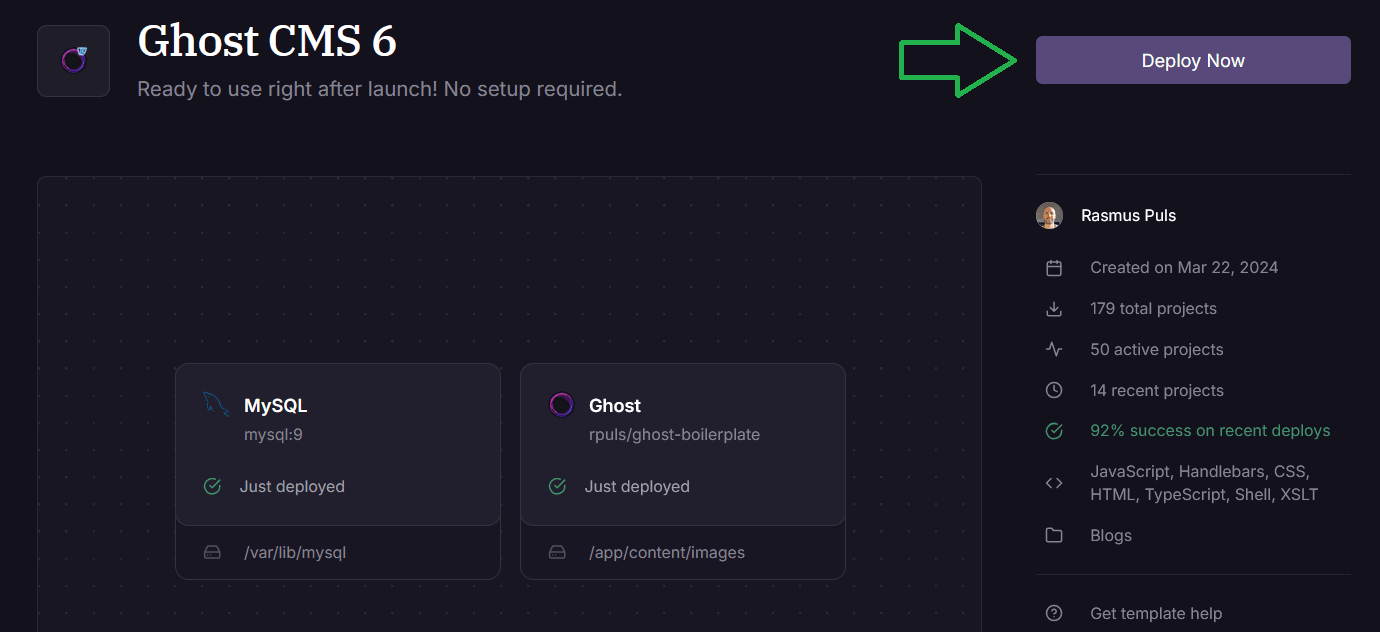
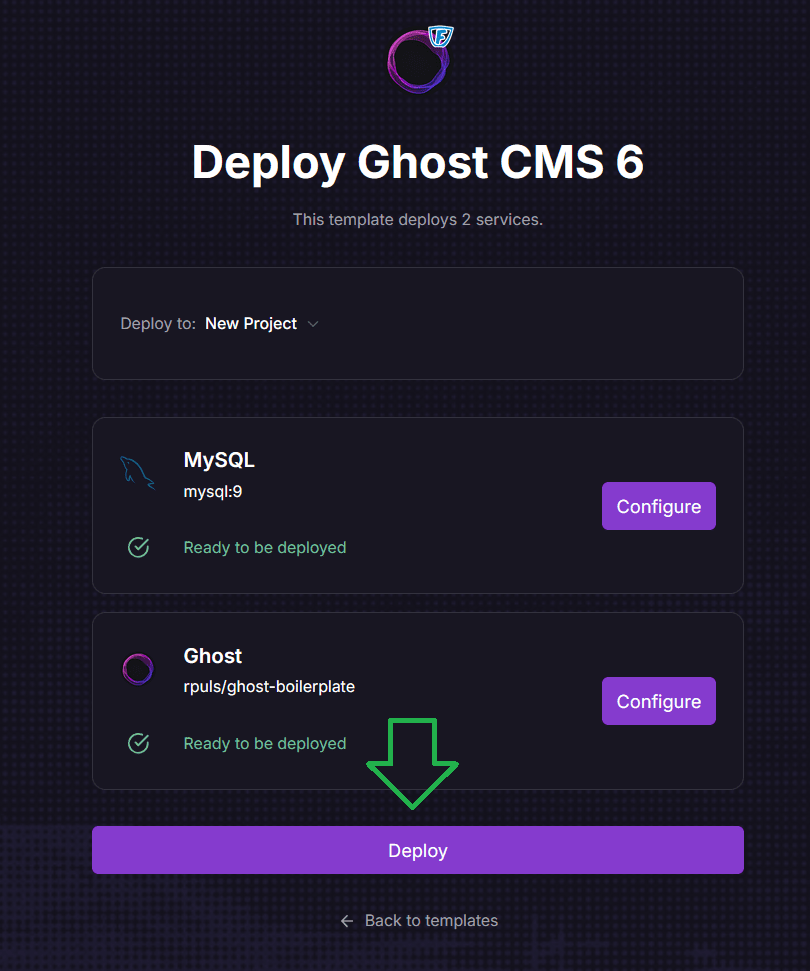
How to deploy Ghost CMS 6 on Railway
Railway will create the project and start deploying Ghost together with the database.
Give it a few minutes to finish the first build and startup.
Once Railway shows that the deployment is live, open the generated public URL.
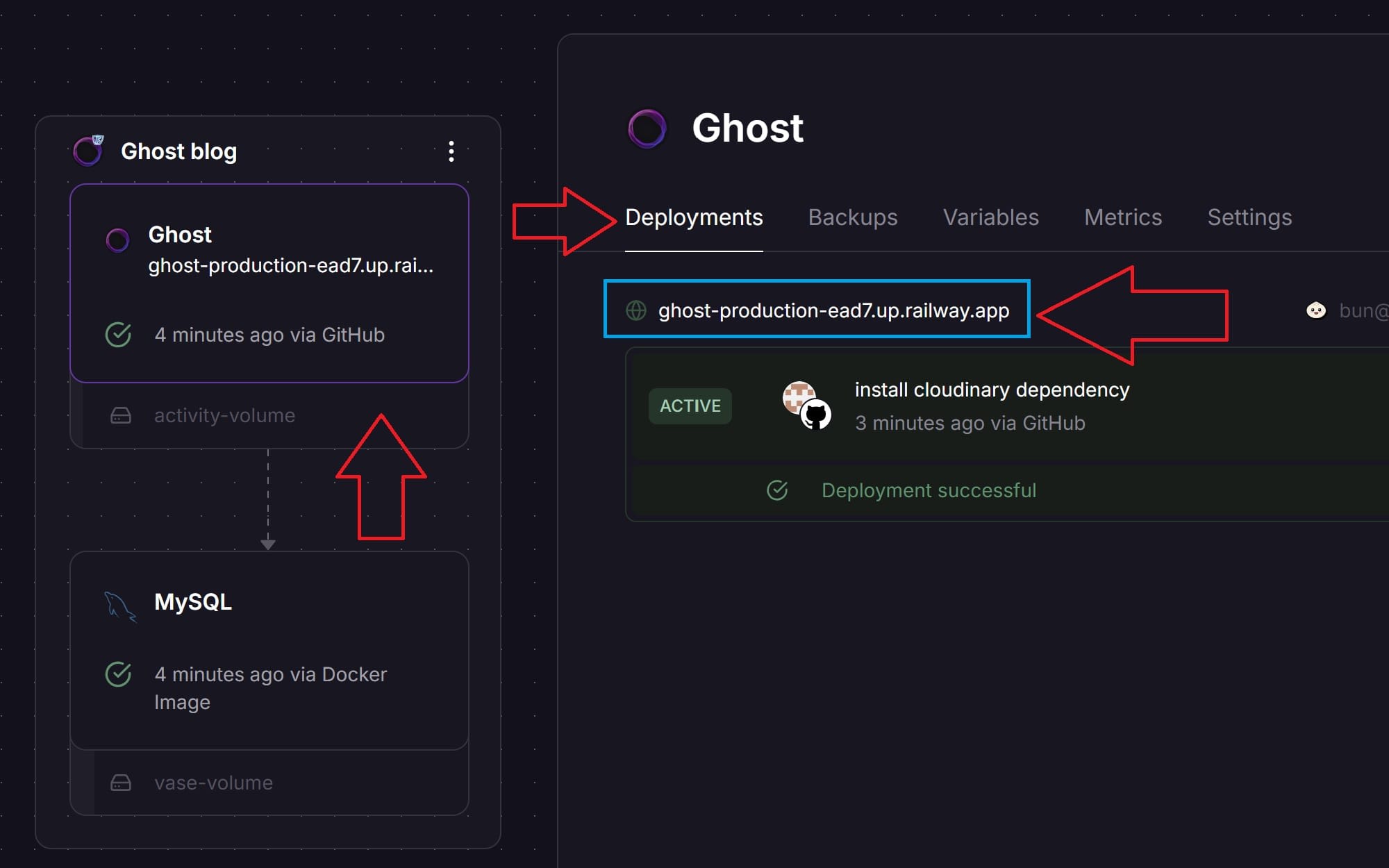
Create your Ghost admin user
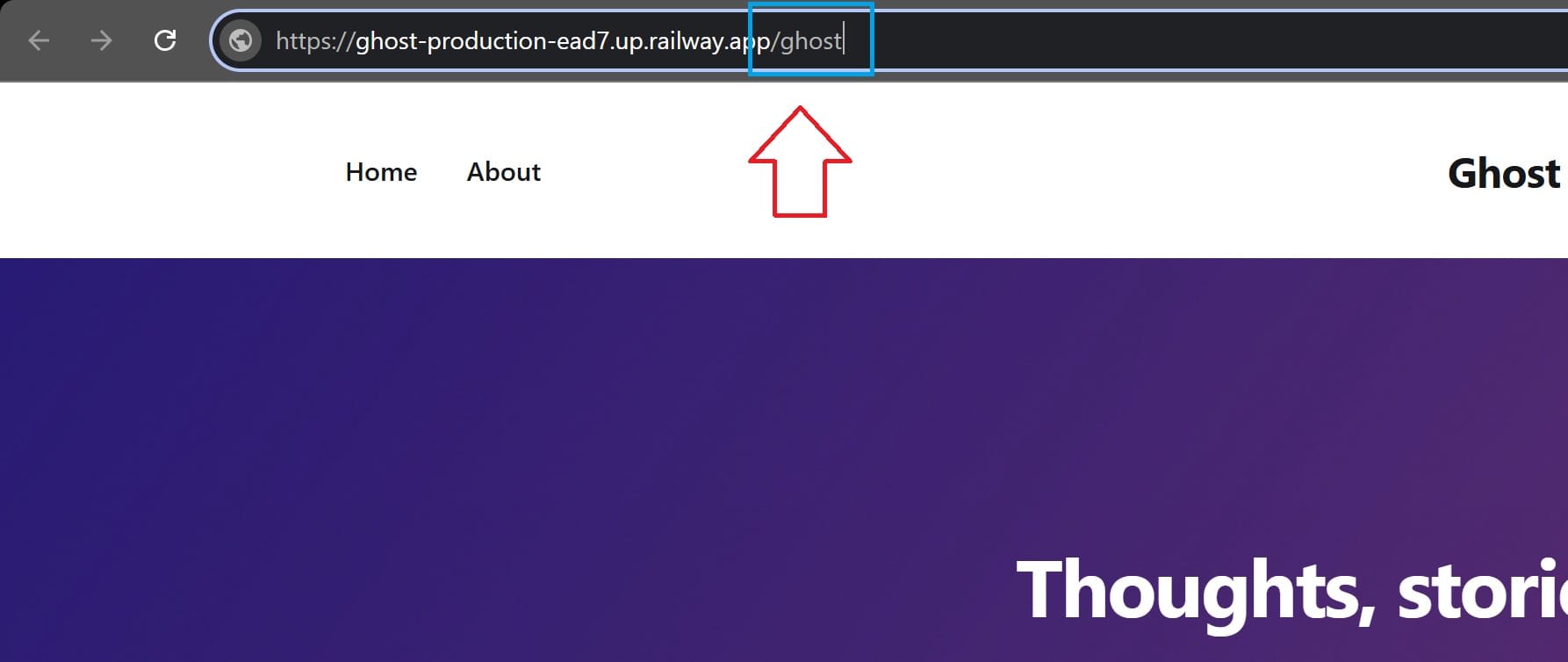
When the site is deployed, open your new Ghost URL in the browser.
To create the first admin user, add /ghost to the end of the URL.
For example:
https://your-ghost-site.up.railway.app/ghost
Ghost will then show the initial setup screen where you create the owner account for your publication.

After that, you can log in to Ghost Admin and start editing your site.
At this point, the core setup is done. You have a working Ghost blog, and you can start publishing right away.
If you ever want to go beyond the basic setup, I have got you covered too.
Optional Mailgun, Stripe and Cloudinary setup
Ghost can be more than a place to publish articles. With a few extra services, it can also handle newsletters, paid memberships, and optimized image hosting.
Mailgun is for newsletter delivery. If you want subscribers to receive your posts by email, this is the service Ghost uses for bulk email sending.
Stripe is for paid memberships. If you want to offer monthly or yearly subscriptions, like a small Patreon-style supporter model, this is what handles the payments.
Cloudinary is for professional image serving. It can make your images load faster, improve image optimization, help your SEO score, and take some load away from the Railway app.
You do not need to set all of this up now. But if your blog grows, these are the integrations that turn Ghost from a simple blog into a real publishing platform.
Mailgun for newsletters
Mailgun is needed if you want to send newsletters from Ghost.
You can write and publish normal blog posts without Mailgun, but if you want people to subscribe by email and receive your posts as newsletters, you should configure Mailgun in Ghost Admin.
In Ghost, go to:
Settings → Email newsletter → Mailgun settings
Then add:
- Mailgun region
- Mailgun domain
- Mailgun private API key

Once this is configured, Ghost can use Mailgun for bulk newsletter delivery.
This is optional, but highly recommended if you want to use Ghost as more than just a website.
Stripe for paid memberships
Stripe is used if you want to accept paid subscriptions.
This is the part that makes Ghost interesting as a small publishing business platform. You can start with a free blog, grow an audience, and later add paid membership tiers if it makes sense.
Think of it like a Patreon-style supporter model, but built into your own website.
In Ghost, go to the membership settings and connect Stripe.

After connecting Stripe, you can set up free and paid tiers, member-only content, and monthly or yearly subscriptions.
You do not need Stripe if you only want a normal free blog. But it is nice to know that the option is there if your audience grows.
Cloudinary for image storage and optimization
Cloudinary is optional, but I personally recommend it for a serious blog.
By default, Ghost can store uploaded images inside the normal application storage. That works, but I prefer keeping media storage separate from the app itself.
With Cloudinary, uploaded images are stored outside Railway and served through Cloudinary instead.
The benefits are:
- Faster image delivery
- Image optimization
- Less storage usage on Railway
- Less image traffic served directly from Railway
- Easier migration if you ever move the blog later
There is one trade-off: you are adding a third-party service for image hosting.
For me, that trade-off is worth it. I want Ghost to run the CMS, MySQL to store the database, and Cloudinary to handle the media files.
To set up Cloudinary, create a Cloudinary account and find your API details.
You need:
- Cloud name
- API key
- API secret
Cloudinary shows these as a connection URL like this:
cloudinary://<your_api_key>:<your_api_secret>@<your_cloud_name>
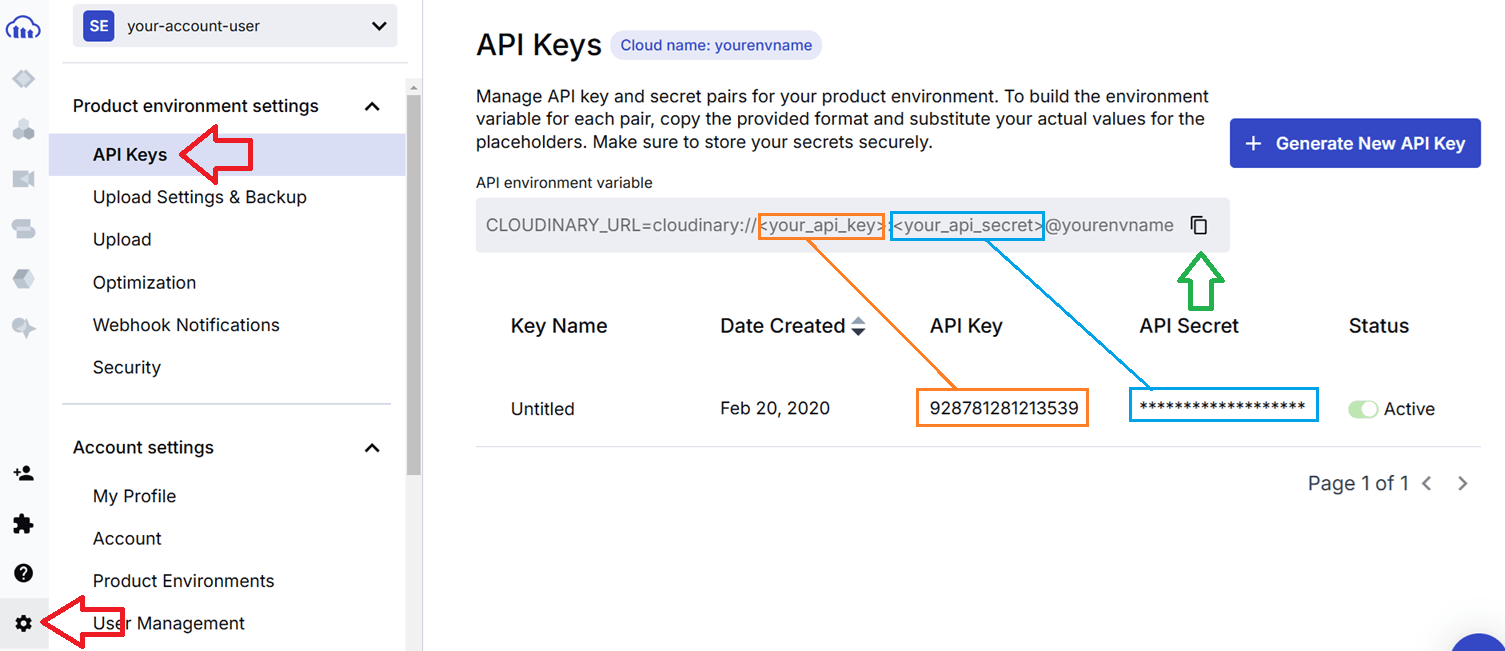
Then go to Railway, open the Ghost service, and add a new environment variable:
CLOUDINARY_URL
Use your Cloudinary connection URL as the value.

After adding the variable, click "Deploy changes".
To test that it works, create a draft post in Ghost and upload an image. Then check that the image appears in Cloudinary, or inspect the image URL in the article preview.
If the uploaded image is served from Cloudinary, the setup is working.
One important note: keep your Cloudinary API secret private. Do not share screenshots with real secrets visible, and keep backups of your media in case you ever want to move away from Cloudinary later.
Who this template is best for
This template is best for individuals or small businesses who want the benefits of self-hosting without manually managing a server.
It is a good fit if you want:
- A personal blog
- A project blog
- A niche publication
- A small business blog
- A full open source CMS
- Full control over your data
- Lower hosting costs than managed CMS hosting
- A setup you can customize later if needed
I consider this setup production ready for the kind of blog or small publication I run myself.
But it is still a slightly DIY solution.
If you are a larger business with high traffic, serious revenue, strict uptime requirements, and a budget for managed hosting, I would probably not recommend this as your first option.
In that case, I would use Ghost(Pro) Business or Enterprise instead, and let the official Ghost team handle hosting, scaling, support, and operational risk.
For individuals, small businesses, side projects, and niche publishers, though, this template hits a very nice balance:
Full Ghost CMS, low hosting cost, simple deployment, and enough control to modify the setup if you ever need to.
Final thoughts
After more than 5 years with Ghost, and more than 2 years running this Railway template, I still have not found a better blogging setup for my own needs.
That says more than any feature list.
I get the full open source Ghost CMS, full control over my content, the option to customize the source code, and a setup that has survived multiple major updates without becoming annoying to maintain.
The hosting cost is also still almost hard to believe. This blog gets roughly 15k monthly visits, with around 2k genuine human visitors, and the Railway cost is still around $8 per month.
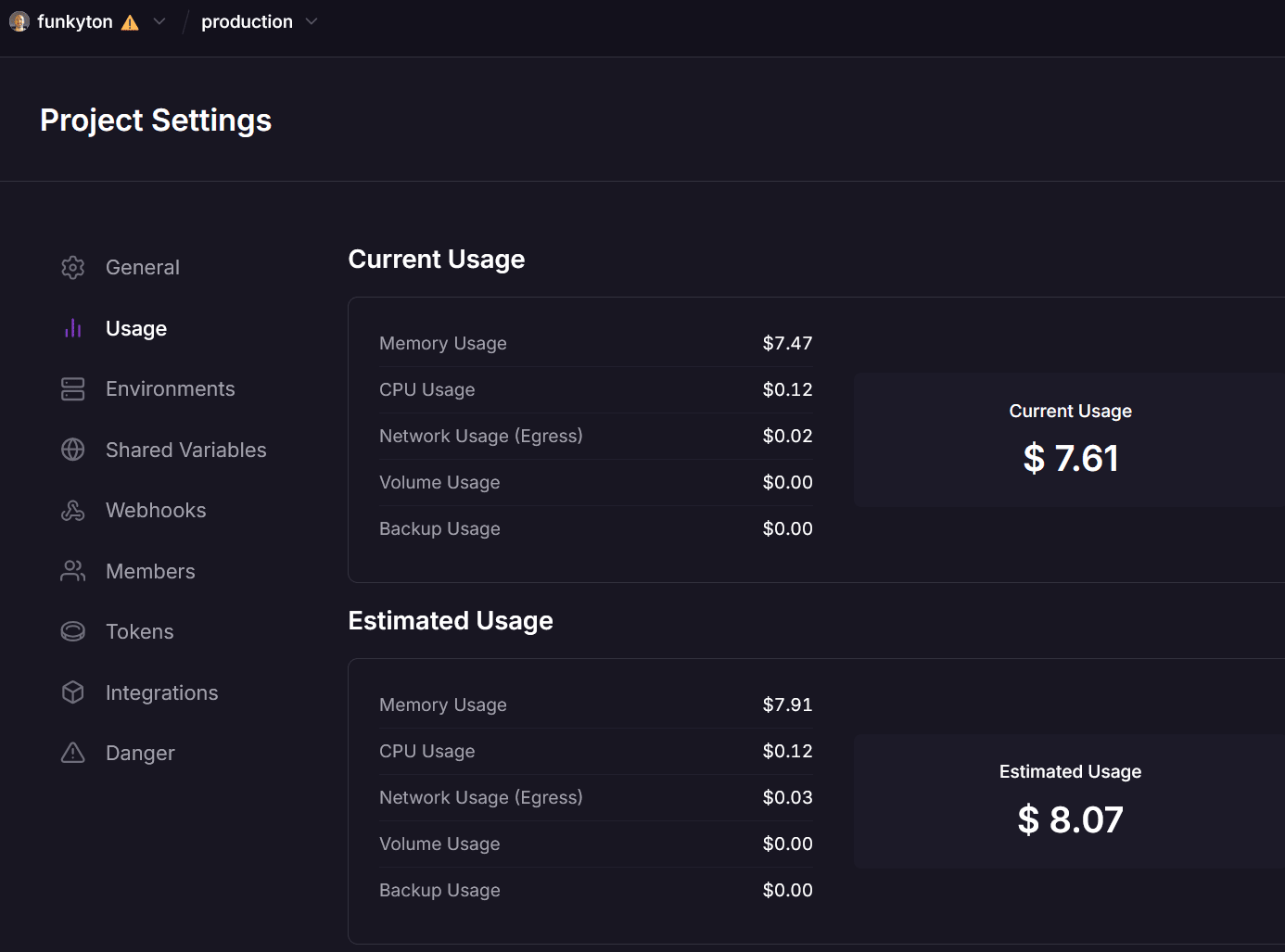
That number is not a promise. If your blog gets much higher traffic, congratulations, that is a good problem to have. You may also need to pay a little more for server resources.
But for me, it proves the point.
You can run a real publishing platform at a very low fixed cost, without giving up ownership of your content or your data.
That is why I still recommend this setup.
If you want to launch a modern open source blog without server management, this Ghost 6 quick launch template is a very solid place to start.
Video instructions
Use it mainly if you get stuck with the Railway deployment flow. Ghost 6 has improved a lot since then, so the current Admin UI and features are much better than shown here.